
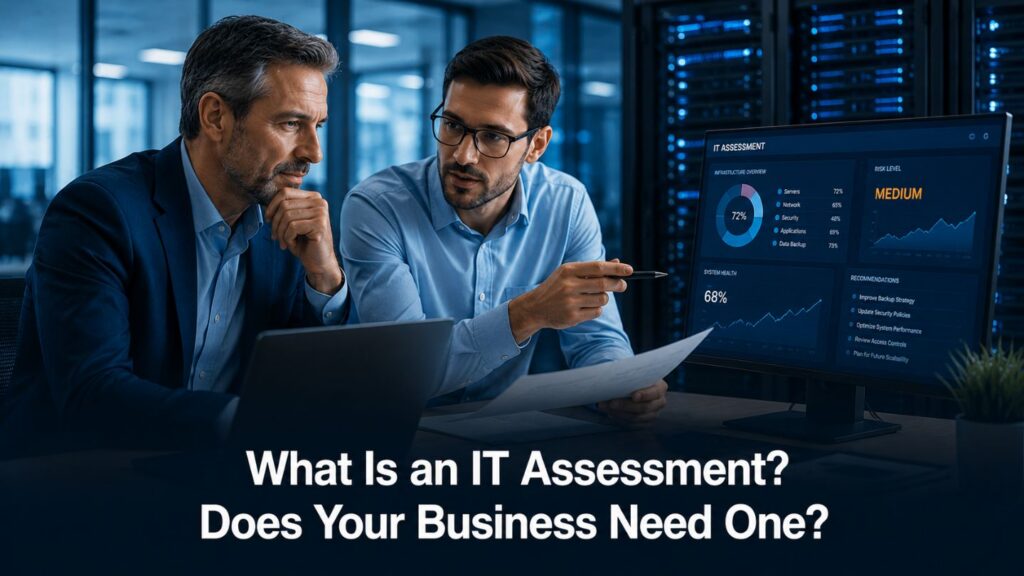
With 43% of all cyberattacks targeting small businesses and the average cost of a data breach reaching $4.35 million, the question isn’t whether your company can afford an IT assessment-it’s whether you can afford to skip one. An IT assessment is a thorough evaluation of technology infrastructure that gives business owners a clear picture of what’s working, what’s vulnerable, and what’s costing them money they don’t need to spend. Yet many businesses operate for years without one, relying on assumptions instead of data.
This blog breaks down exactly what an IT assessment covers, why it matters for small and mid-sized business owners, the warning signs that you’re overdue, and how the assessment process works from start to finish. Whether you’re dealing with aging hardware, rising IT costs, or simply want to know if your current technology supports your business goals, you’ll walk away knowing whether it’s time to act.
Key Takeaways
- An IT assessment is a comprehensive evaluation of your entire technology environment, covering hardware, software, network infrastructure, security, compliance, and more.
- Most small to mid-sized businesses carry hidden IT risks that are quietly costing money and creating vulnerabilities, and 60% of small businesses close within six months of a cyberattack.
- Regular IT assessments prevent costly downtime, data breaches, and compliance gaps by identifying problems before they escalate.
- Clear signs you need an assessment include aging hardware, slow performance, security concerns, and rising IT costs without clear returns.
- Professional IT assessments typically take 2–4 weeks and deliver actionable recommendations with a prioritized improvement roadmap.
What Is an IT Assessment?
An IT assessment is a structured, comprehensive evaluation of an organization’s technology environment. It examines everything from servers and endpoints to cloud configurations, cybersecurity defenses, backup systems, vendor relationships, and compliance readiness. Think of it as a full diagnostic for your business technology, one that goes far beyond checking whether things are “turned on and running.”
What separates a business technology assessment from routine IT maintenance or support is scope and intent. Routine maintenance fixes known issues. An IT assessment is a strategic evaluation: forward-looking, diagnostic, and designed to surface latent risks, inefficiencies, and misalignments between your IT systems and your overall business strategy. It answers questions like: Are we exposed? Are we overspending? Will our infrastructure support growth?
The assessment evaluates both qualitative factors, like how well technology aligns with business goals, and quantitative data, including asset inventories, vulnerability scans, hardware age profiles, and software licensing status. The result is a prioritized roadmap that tells you exactly where to focus resources for maximum impact.
An IT assessment evaluates your entire technology environment, and businesses that assess technology regularly make smarter investments.
Key Components Covered in an IT Assessment
A thorough IT assessment touches every layer of your IT environment. Here’s what a comprehensive assessment typically covers:
- Network infrastructure and security evaluation – Topology review, firewall rules, network segmentation, intrusion detection systems, wireless security, VPN configurations, and remote access controls.
- Hardware inventory and aging analysis – Cataloging servers, endpoints, and network devices by age, warranty status, and performance. Identifying outdated technology is a core part of the IT assessment process that prevents surprise failures.
- Software licensing and security patch status – Checking for outdated software, unsupported operating systems, patch compliance, and licensing alignment. IT assessments identify unused software subscriptions costing businesses money.
- Cybersecurity posture and vulnerability scanning – External and internal scans, penetration testing, password strength analysis, multi-factor authentication verification, endpoint protection, and incident response readiness. An IT assessment identifies unused and weak user accounts that pose serious risks. A dark web scan identifies potential data exposure risks as well.
- Backup systems and disaster recovery capabilities – Evaluating backup frequency, off-site or cloud copies, restoration drills, recovery time objectives (RTO), and recovery point objectives (RPO). Disaster recovery readiness is assessed during IT evaluations to ensure your business can bounce back.
- Cloud services configuration and optimization – Reviewing cloud spend, misconfigurations, security posture of cloud environments, and whether resources are properly configured or over-provisioned.
- Compliance readiness for industry regulations – Assessment against HIPAA, PCI-DSS, GDPR, SOC2, ISO 27001, and other frameworks relevant to your industry. An IT assessment checks for compliance with relevant regulatory frameworks, ensuring businesses in regulated industries stay ahead of audits.
- User access controls and permissions audit – Role-based access management, least privilege enforcement, orphaned account identification, administrative privilege hygiene, and separation of duties.
Common areas of review in an IT assessment include security and risk management, and IT assessments cover hardware, software, and network infrastructure comprehensively.
Why Your Business Needs an IT Assessment

Many businesses assume their IT systems are “good enough” because nothing has visibly broken. But the most expensive problems are the ones you can’t see. Here’s why a regular IT assessment isn’t just an inconvenience on your calendar-it’s a business necessity.
Identify hidden security vulnerabilities before they’re exploited.
Cybersecurity vulnerabilities can be uncovered during IT assessments that would otherwise remain invisible. In one documented case, an investment firm with roughly 1,000 employees across global offices discovered weak credentials and harmful code imported from a recently acquired company, issues that could have compromised the entire operation. An IT assessment identifies vulnerabilities in your cybersecurity posture, and cybersecurity assessments evaluate defenses against current attack methods.
Optimize IT spending and eliminate waste.
IT assessments can help identify excessive spending in IT budgets, from redundant tools and underused software licenses to over-provisioned cloud resources. A mid-sized business can save $14,000 after a $5,000 assessment-a nearly 3:1 return.
Ensure regulatory compliance
For businesses in regulated industries like healthcare, finance, insurance, and legal services, failing a compliance audit carries real consequences-fines, legal liability, and reputational damage. Regular IT assessments help maintain compliance with evolving regulations before audit season arrives.
Plan for business growth and scalability
Technology alignment with strategic goals is a core purpose of an IT assessment. A member-owned organization used an assessment to catalog more than 80 technology assets, uncovering duplication, integration gaps, and the need for a dedicated CIO role-all before scaling further. As businesses scale, their IT infrastructure must keep pace with significant growth demands.
Align technology investments with business goals.
A comprehensive assessment ties your IT operations, network, security, cloud, and data management practices back to what leadership actually cares about: efficiency, business growth, compliance, and competitive edge. Technology investments made without strategic alignment are just unnecessary expenses.
Get expert recommendations for improvement.
External expertise surfaces issues internal teams often can’t see. IT assessments provide a clear roadmap for future improvements, with actionable recommendations prioritized by risk and impact. Operational optimization is a key benefit of conducting an IT assessment.
Common IT Assessment Mistakes to Avoid
Even companies that recognize the value of assessments can stumble. Here are the most common pitfalls:
- Waiting until a major problem occurs before getting assessed. Reactive assessments cost more and carry a higher risk. The most expensive IT assessment is the one you didn’t do before the breach.
- Assuming everything is fine because systems appear to work. Latent security gaps, compliance gaps, and inefficiencies accumulate quietly. What looks like reliable systems on the surface may be a hidden risk underneath.
- Conducting only internal reviews without external expertise. Internal teams know the business but can miss what they’re too close to see.
- Focusing solely on security without considering operational efficiency. A thorough IT assessment covers operations, vendor management, software redundancies, and strategic alignment-not just firewalls and antivirus.
- Ignoring assessment recommendations due to perceived costs. Many improvements are incremental, quick wins with strong ROI. A $5,000 investment uncovering $14,000 in cost savings illustrates the math.
- Failing to reassess after major business or technology changes. Assessments should occur after significant company changes-mergers, acquisitions, remote work rollouts, and regulatory shifts. An assessment conducted once and never revisited becomes stale.
Read More: What Are the Most Common IT Installation Mistakes in Businesses?
Signs Your Atlanta Business Is Overdue for an IT Assessment
Not sure if it’s time? If any of these apply to your business, you’re likely overdue:
- Systems are more than 3–5 years old without a recent evaluation. Aging hardware with expired warranties, end-of-life operating systems, and outdated software creates compounding risk. Identifying outdated technology is part of the IT assessment process.
- Experiencing frequent slowdowns, crashes, or performance issues. If the same problems keep recurring, that’s not just an inconvenience-it’s a signal. Evaluating performance issues is crucial in an IT assessment, and recurring inefficiencies indicate a need for one.
- Recent cybersecurity incidents or close calls in your industry. Phishing attempts, malware infections, unauthorized access attempts-even near-misses justify a full review. 43% of all cyberattacks target small businesses, and 60% of small businesses close within six months of a cyberattack.
- Planning business expansion or digital transformation. Rapid growth demands infrastructure that can scale. An assessment tells you whether your current environment can handle what’s next.
- Compliance audit approaching or regulatory requirements changing. Whether it’s HIPAA, PCI-DSS, or industry-specific requirements, waiting until the auditor arrives is the wrong strategy. Semi-annual assessments are recommended for regulated industries.
- High IT costs without a clear understanding of the value received. Ballooning cloud spend, underutilized software licenses, vendor contract misalignment-an assessment identifies where the money is going and whether you’re getting value.
- Remote work implementation or major workflow changes. Different work models create different threat profiles, access points, and data exposure. Document management, sensitive data handling, and access management all change with hybrid work.
- Merger, acquisition, or significant staffing changes. Integrating company technology requires assessment of both environments. Assessments should occur after significant company changes.
- Cybersecurity insurance renewal requiring documentation. Insurers increasingly require proof of security posture, recent assessments, and disaster recovery plans. A poor posture may mean higher premiums or outright denial.
Mid-year assessments help identify issues before year-end demands, making now an ideal time for Atlanta businesses to evaluate where they stand. Organizations should assess technology every 18 months at a minimum.
Read More: How IT Consulting Helps Atlanta Firms Plan for Growth
Gaining Clear Insight Into Your Technology Environment

An IT assessment provides businesses with a comprehensive understanding of their technology infrastructure, helping identify performance gaps, security risks, and opportunities for improvement. By regularly evaluating systems, processes, and resources, organizations can make informed decisions, strengthen operational efficiency, and ensure their technology supports long-term business goals and growth.
Read More: Top IT Services Companies in Atlanta, GA
Conclusion
JETT Business Technology helps organizations evaluate and optimize their technology environments through strategic IT solutions tailored to their needs. As a trusted IT company in Atlanta, JETT Business Technology also proudly serves businesses nationwide, providing reliable remote and on-site IT solutions. We provide IT installation and support, cloud services, security, backup, and disaster recovery solutions that help businesses maintain reliable operations, protect critical data, and build a stronger foundation for future success. Contact us today to discover how we can help your business make smarter technology decisions and achieve greater operational efficiency, whether you’re based in Atlanta or anywhere nationwide.
Frequently Asked Questions
How long does an IT assessment take?
For small to mid-sized businesses, a professional IT assessment typically takes 2–4 weeks, depending on the complexity of your IT environment. Factors that affect duration include the number of employees and locations, the mix of on-site and cloud systems, and how complete your existing documentation is. More complex engagements-such as those involving multiple locations or hybrid environments-may extend to 6–8 weeks when paired with roadmap development.
Will an IT assessment disrupt our daily operations?
Disruption is minimal when an assessment is managed by experienced professionals. Vulnerability scans, interviews, and data gathering are scheduled around your business operations. Live systems are rarely taken offline, and reputable providers use safe, non-intrusive methods. The goal is to evaluate your environment without impacting business performance or customer satisfaction.
What’s the difference between an IT assessment and a security audit?
An IT assessment is broader in scope-it covers operations, hardware, software inventories, strategic alignment, vendor management, compliance, and more. A security audit focuses narrowly on cybersecurity controls, policies, and regulatory compliance. Think of the IT assessment as the full diagnostic, and the security audit as one specific scope within it. Both are valuable, but an IT assessment gives you the complete picture.
How often should we get an IT assessment?
Conduct IT assessments at least once per year. Organizations should assess technology every 18 months at the very longest. Semi-annual assessments are recommended for regulated industries such as healthcare, finance, and legal services. Beyond scheduled reviews, assessments should occur after significant company changes like mergers, rapid growth, remote work rollouts, or new regulatory requirements.
What happens after the assessment is complete?
You’ll receive a detailed report with findings, risk prioritization, and actionable recommendations. This includes a roadmap for improvements with estimated costs and timelines. IT assessments provide a clear roadmap for future improvements, covering everything from quick wins to longer-term infrastructure support initiatives.
Can we do an IT assessment internally, or do we need outside help?
Internal assessments offer the advantage of contextual knowledge and faster access to systems. However, they carry the risk of bias and limited benchmarking against industry standards. External expertise brings objectivity, broader exposure to best practices, and stronger credibility for audits or insurance documentation. Many organizations do a hybrid approach-internal self-assessment followed by external validation-but for compliance-heavy or complex environments, outside help delivers meaningfully better business outcomes.