
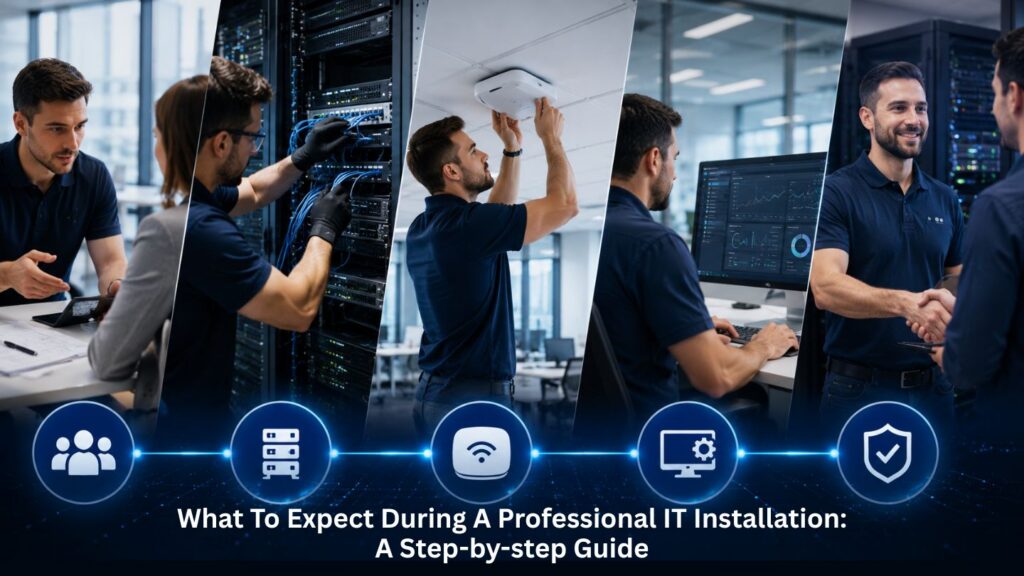
Planning an IT infrastructure upgrade or new installation can feel overwhelming when you don’t know what the process actually involves. Many businesses underestimate the complexity, leading to unexpected costs, extended downtime, and compatibility issues that disrupt daily operations. In this context, installation refers to the structured process of setting up hardware, software, network, and security systems, an essential step to ensure system functionality and security. Professional IT installation services simplify and streamline deployment by providing expert assistance with setting up and configuring systems, equipment, or software in accordance with industry best practices. This blog walks you through exactly what happens during a professional IT installation, from the initial assessment through the final handover. Understanding the three main phases, pre-installation preparation, installation day procedures, and post-installation support, helps you align expectations, allocate resources properly, and minimize risks to your business operations.
Key Takeaways
- Professional IT installations are structured projects that move through clear phases from evaluating business needs to final handover and training
- The installation process generally follows five standard project management phases: Initiation, Planning, Execution, Monitoring, and Closure
- Proper installation and configuration of IT systems are crucial for ensuring compatibility and seamless integration between various software components and hardware devices
- Testing and optimization include comprehensive trials such as Wi-Fi coverage checks and security vulnerability scans before going live
- Installation and configuration support helps prevent downtime, data breaches, and system conflicts by ensuring every element works harmoniously from day one
- Professional support ensures installations are handled by experts, providing long-term value and technical expertise throughout the process
- Enhanced security is achieved through robust security measures implemented during professional IT installation, safeguarding sensitive data and mitigating cybersecurity risks
Pre-Installation Phase: What Happens Before Technicians Arrive

Pre-installation preparation is crucial for preventing delays and ensuring efficient installation. This phase typically takes two to four weeks for small to medium businesses with 50–200 employees and involves several critical activities that set the foundation for a successful installation.
The initial consultation begins by defining your business goals and constraints, and by identifying key stakeholders. Expert guidance and support from installation service providers ensure that systems, equipment, or software are properly installed and configured in accordance with industry best practices and specific requirements. During this stage, technicians evaluate your existing infrastructure and document hardware components, software versions, network architecture, and storage systems.
Site surveys involve checking the physical installation area for space, power requirements, and environmental needs, such as temperature regulation. Technicians assess electrical capacity, cooling systems, and existing cabling to identify any infrastructure constraints that could affect the installation process. Safety checks ensure power sources are secure and suitable for the installed equipment, preventing hazards during and after deployment.
Timeline development coordinates scheduling with your business operations to minimize disruption. For organizations with multiple locations, careful coordination is required to manage installations across all sites, ensuring local onsite support and consistent procedures. Equipment procurement follows, with hardware and software tested and configured in controlled environments before arriving at your location. This pre-configuration includes imaging workstations, updating firmware, verifying that all key components function correctly, and ensuring proper configuration of all hardware and software to optimize integration and performance. Additionally, the installation package, containing the necessary files for software setup, is prepared and verified before deployment to streamline the installation process. Compliance with industry-specific regulations, such as GDPR or HIPAA, is a critical part of pre-installation planning to ensure your IT environment meets all legal and security requirements.
Initial Assessment and Planning Details
During the needs assessment phase, current technology assets are evaluated to identify strengths and areas for improvement. Pre-installation checks should be performed to ensure the system meets the software’s requirements, including verifying hardware specifications, operating system compatibility, and available disk space. The installation steps are typically guided by the installer, who walks users through each required step to set up the software properly. A software installation checklist is essential for ensuring a smooth, efficient, and error-free installation process, helping minimize errors and maintain compliance and security. Checklists are especially important when installing complex software, as they help minimize errors and ensure compatibility across all systems.
Compatibility checks prevent integration issues by examining operating system versions, software dependencies, peripheral hardware, and network protocols. Technicians document firmware versions, configuration settings, and identify any potential conflicts with existing systems before installation day. Verifying installation is a critical part of this process, involving testing and validating that all components function correctly after setup to detect errors and confirm compatibility. A clear IT disaster recovery plan helps businesses protect critical data, reduce recovery delays, and maintain continuity before any major system changes begin.
Backup procedures involve implementing a backup and recovery plan before new software or hardware is deployed to protect data integrity. Implementing a disaster recovery plan before installation begins is crucial for data protection, ensuring your sensitive business data remains secure throughout the transition.
Key Technical Components: Hardware, Software, and Network Setup
A successful IT installation process relies on the seamless integration of several key technical components: hardware, software, and network setup. Each element must be properly installed and configured to ensure optimal performance and reliability of your IT systems.
Hardware components form the foundation of any computer system. This includes installing CPUs, motherboards, memory modules, storage drives, and peripheral devices. Proper installation of these hardware components is essential to prevent system downtime and ensure that all devices communicate effectively. Technicians verify compatibility with existing systems and confirm that each component is securely connected and powered.
Software installation is the next critical step. This involves deploying computer programs, applications, and operating systems such as Windows, macOS, or Linux. The installation process includes copying program files, configuring user permissions, and setting the installation location. Installing operating systems and essential business applications ensures that your team can work efficiently from day one. Technicians also ensure that the software installation process follows industry best practices, minimizing installation errors and ensuring that all software is properly licensed and up to date.
Network setup is equally important for connecting your IT systems. This involves configuring network settings, such as IP addresses, subnet masks, and default gateways, to enable secure and reliable communication between devices. Proper network installation ensures that all endpoints, servers, and wireless access points are connected and that network security protocols are in place. By carefully planning and executing each step, professional installation services help ensure that all technical components are installed correctly and work together to support your business operations.
Data Protection and Security Measures During Installation

Protecting sensitive business data is a top priority during the installation process. Robust security measures must be implemented from the outset to safeguard your IT systems against unauthorized access and cyber threats. Professional installation services play a crucial role in ensuring that security protocols are established and maintained throughout the deployment.
Key security measures include installing and configuring firewalls, intrusion detection systems, and antivirus software. These tools help prevent malware, unauthorized access, and data breaches during and after installation. Technicians ensure that all security features are properly installed and that security settings are tailored to your organization’s needs. This includes setting up user permissions, encrypting data transfers, and applying security patches to both hardware and software components.
Ongoing support is essential for maintaining security after the initial installation. Regular security audits, vulnerability assessments, and penetration testing help identify and address potential weaknesses in your IT infrastructure. Professional installation services provide continuous monitoring and updates to ensure that your systems remain compliant with industry standards and that sensitive business data is always protected.
By prioritizing data protection and implementing robust security measures during installation, businesses can minimize risks, maintain operational efficiency, and ensure the long-term integrity of their IT systems.
Installation Day: The Step-by-Step Installation Process
The installation process includes critical steps: hardware and infrastructure setup, software deployment, testing, and final documentation. Professional IT installation services help minimize downtime and disruptions by ensuring that installations are executed efficiently and correctly the first time.
Upon arrival, technicians set up staged work areas and conduct initial safety assessments. Physical installation begins with hardware setup, integrating computer components into a system, including CPUs, motherboards, and peripherals. This includes rack mounting, cable management, proper grounding, and power connections.
Network installation focuses on establishing and configuring computer networks, which involves setting up routers and switches and implementing security measures. Technicians configure VLANs for network segmentation, deploy Wi-Fi access points, and establish secure network connections. As part of this process, configuring data transfer protocols and ensuring efficient data transfer between systems are essential to maintaining connectivity and performance. Configuring network settings properly ensures optimal performance and maintains security protocols across your IT infrastructure.
Software installation entails deploying computer programs and applications to a computing system, including copying necessary files and configuring settings. During the installation process, users should be presented with a license agreement and terms of use that outline the conditions under which the software can be used, which must be accepted before proceeding. Popular operating systems such as Windows, macOS, and Linux are commonly deployed in business environments, each offering unique features and management capabilities. Operating system installation involves installing and configuring the core software that enables a computer to run and manage other programs. After installation, post-installation tasks such as registering the software, configuring additional settings, and performing system reboots are completed to ensure the software is fully operational and properly integrated.
Server installation is the process of setting up and configuring server hardware and software to provide specific services within a networked environment. Throughout the deployment process, technicians maintain real-time communication, providing progress updates and keeping stakeholders informed of any issues that require decisions.
Read More: What Should Businesses Look for in IT Installation Services
Common Installation Challenges and How Professionals Handle Them
Professional installation services provide expert knowledge and experience, allowing them to navigate potential challenges and optimize the performance of installed components. Common obstacles include power issues, space constraints, and compatibility conflicts with existing systems.
Buildings with thick walls, inaccessible conduits, or inadequate electrical capacity may require contingency planning. Experienced technicians come prepared with alternative approaches and maintain flexibility to adapt to unexpected circumstances. In one documented case, a real estate company’s headquarters setup required last-minute adaptations to equipment and the facility layout, which were completed successfully within 27 hours.
Minimizing disruption to business operations remains a priority throughout. Many installations schedule cutovers during off-peak hours, and technicians may maintain legacy systems running until new systems are verified. A large clothing brand replaced its network backbone with only a 60-minute outage by installing the new system before taking the old one offline.
Read More: What Are the Most Common IT Installation Mistakes in Businesses?
Post-Installation: Testing, Configuration, and Handover

Installation services often include thorough testing and quality assurance measures to ensure installed components function as intended, thereby enhancing the overall quality and reliability of the deployment. A well-executed installation and configuration process minimizes the time and resources required to troubleshoot technical issues later on, enhancing overall operational efficiency. As businesses adopt more scalable systems, artificial intelligence in cloud computing can support smarter resource management, better performance insights, and more efficient long-term infrastructure planning.
Connectivity tests ensure all devices can connect to the network and meet the required internet speeds. Initial testing includes load and stress tests, redundancy verification, and security vulnerability scans. Technicians verify that all hardware and software are properly installed and functioning according to specifications, checking system performance against established benchmarks.
User training is critical for ensuring that staff can effectively operate new systems after installation. Training sessions cover system administration, monitoring dashboards, incident response procedures, and daily operational tasks. Structured training programs and best practices are implemented to ensure staff can use software effectively, maximizing usability and performance for a smooth transition and optimal software adoption. This knowledge transfer ensures your team can maintain productivity and handle routine maintenance.
Documentation in IT installation includes providing updated records, asset tags, and user guides for the new systems. Comprehensive documentation covers network diagrams, configuration files, firmware versions, warranty information, and technical support contacts. This documentation becomes invaluable for ongoing monitoring, troubleshooting, and future upgrades. Scalability is a key consideration; solutions are designed to support future upgrades or expansions by leveraging modular and cloud-based services. Professional IT installation services also ensure compliance with industry standards and regulations, helping organizations mitigate risks and protect sensitive information by adhering to security measures and data protection protocols. Working with a team that understands what a managed IT service provider does early on helps businesses create smoother support processes, stronger maintenance routines, and clearer expectations after installation.
Ongoing support transitions your organization to helpdesk services, establishing service level agreements and maintenance schedules. Engaging professional installation services allows organizations to use their internal resources efficiently, enabling them to focus on strategic initiatives while system administrators handle routine maintenance.
Final Thoughts
Professional IT installation follows a structured process that helps businesses reduce downtime, improve system reliability, and ensure secure integration across hardware, software, and network infrastructure. From pre-installation planning to testing and post-installation support, professional guidance helps organizations build scalable systems that support daily operations while minimizing technical risks and future disruptions.
For businesses seeking reliable IT support in Atlanta, JETT Business Technology delivers professional installation services, infrastructure planning, system configuration, and ongoing technical support tailored to modern business needs. Our team also helps organizations strengthen operations with secure cloud services, proactive security solutions, and dependable backup and disaster recovery strategies designed for long-term performance and operational continuity. Contact us today to build a smarter, more reliable IT environment for your business.
Frequently Asked Questions
What should we prepare before the installation team arrives?
Ensure all stakeholders are identified and available for decisions. Provide access to existing infrastructure documentation, including network diagrams, software versions, and hardware specifications. Clear the physical installation area and verify that power sources meet requirements. Implement backup procedures and confirm that your disaster recovery plan is up to date before any changes begin.
Will our business operations be disrupted during the installation?
Professional installation teams schedule cutovers during off-peak hours to minimize impact on business operations. Many projects maintain existing systems running in parallel until new infrastructure is verified. Proper planning and phased deployment approaches can limit network outages to under an hour in many cases, though exact timing depends on project complexity.
What kind of testing is performed after installation completion?
Testing and optimization include comprehensive trials such as Wi-Fi coverage checks, security vulnerability scans, connectivity tests, and performance validation before going live. Technicians verify backup and restore functions, test redundancy and failover systems, and conduct user acceptance testing to confirm all endpoints, printers, and applications function correctly.